PFMS Login Portal – Check Balance, DBT Status & Aadhaar Payments (pfms.nic.in)
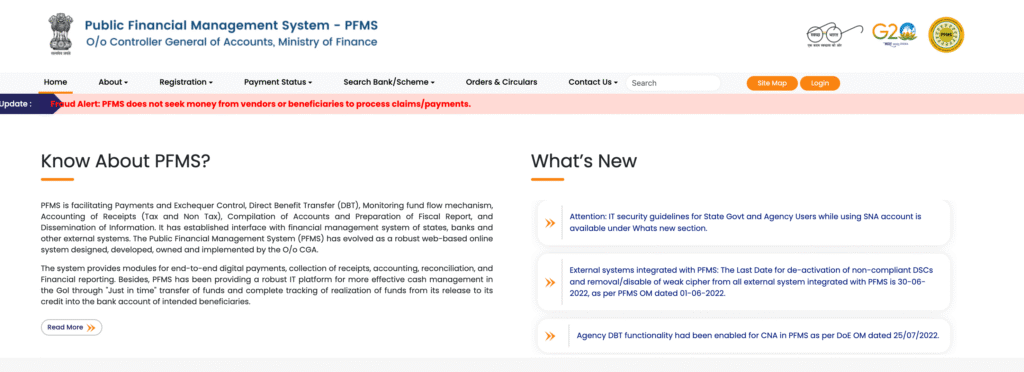
The Public Financial Management System (PFMS), available at pfms.nic.in, is a centralized web-based platform developed and managed by the Controller General of Accounts (CGA), Ministry of Finance, Government of India. It was launched to ensure real-time tracking of fund flow and Direct Benefit Transfer (DBT) payments to beneficiaries across the country.
PFMS serves as the backbone of India’s government payment ecosystem, enabling seamless transfer of funds from the Central Government to state governments, implementing agencies, NGOs, and ultimately to individual beneficiaries — directly into their bank accounts or Aadhaar-linked accounts.
Whether you are a scholarship recipient, MGNREGA worker, PM-KISAN beneficiary, or student receiving government aid, PFMS is the single window to track whether your payment has been processed, credited, or is pending.
Key Highlights of Public Financial Management System (PFMS)
|
Feature |
Details |
|
Portal Name |
Public Financial Management System (PFMS) |
|
Official Website |
pfms.nic.in |
|
Managed By |
Controller General of Accounts, MoF, GoI |
|
Primary Use |
DBT Tracking, Fund Flow, Payment Status |
|
Beneficiaries |
Students, Farmers, MGNREGA Workers, NGOs |
|
Payment Mode |
Bank Transfer, Aadhaar-linked Payments |
Important Features of PFMS Portal
The PFMS portal is not merely a payment gateway — it is a full-scale financial management and transparency system. Below are its most important features:
1. Real-Time Fund Tracking
PFMS tracks every rupee released by the Central Government, from the treasury to the implementing agency and down to the last-mile beneficiary. This eliminates fund leakage and ghost beneficiaries.
2. Direct Benefit Transfer (DBT) Integration
PFMS is the primary backend platform for India’s DBT Mission. All central government subsidies, scholarships, and welfare payments are routed through PFMS before reaching the beneficiary’s bank account.
3. Aadhaar-Based Payment System (ABPS)
Beneficiaries whose Aadhaar is seeded with their bank account receive payments via Aadhaar Payment Bridge System (APBS). PFMS validates Aadhaar linkage before processing any transfer.
4. Payment Status Check for Beneficiaries
Any citizen can check their payment status on PFMS by entering their bank account number or Aadhaar number — no login required for this feature.
5. Scholarship & Student Payment Tracking
Students receiving central government scholarships (NSP, Post-Matric, Merit-cum-Means, etc.) can track disbursement status directly on PFMS.
6. Agency & NGO Registration
Government-funded agencies, societies, and NGOs can register on PFMS to receive and manage funds, submit utilization certificates, and maintain financial records.
7. Expenditure Reporting & Reconciliation
PFMS provides automated reconciliation of payments made against allocations, giving finance officers a consolidated view of expenditure.
8. Integration with Core Banking Systems
PFMS is integrated with 90+ banks in India, including SBI, PNB, Canara Bank, and all RRBs (Regional Rural Banks), enabling near-instant payment processing.
How to Login to PFMS Portal (pfms.nic.in)
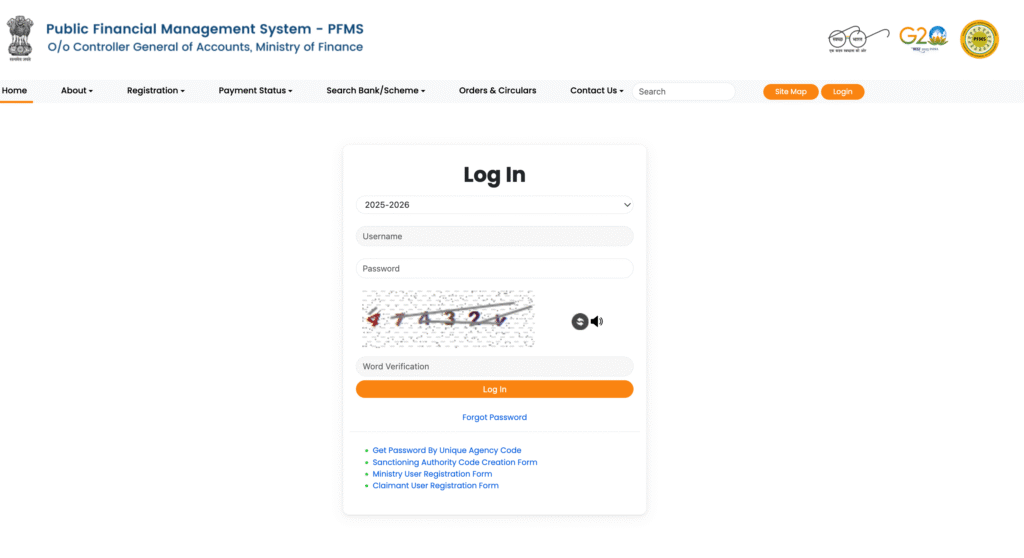
The PFMS Login is primarily designed for authorized users — government officials, agency heads, nodal officers, and implementing agencies. Here is the complete step-by-step login process:
Step-by-Step PFMS Login Guide
Step 1: Open your browser and visit the official PFMS portal: https://pfms.nic.in
Step 2: On the homepage, click on the “Login” button located in the top-right corner of the navigation bar.
Step 3: You will be redirected to the PFMS Login Page. Enter the following credentials:
· User ID (assigned by your parent ministry/department or agency)
· Password (set during registration or provided by your nodal officer)
· CAPTCHA Code (visible on screen)
Step 4: Click the “Login” button to access your PFMS dashboard.
Step 5: First-time users may be prompted to change their default password and set up security questions.
⚠️ Important: Never share your PFMS login credentials with anyone. PFMS login is for official use only. Misuse of credentials is a punishable offence under the IT Act, 2000.
Forgot PFMS Password?
If you have forgotten your PFMS password:
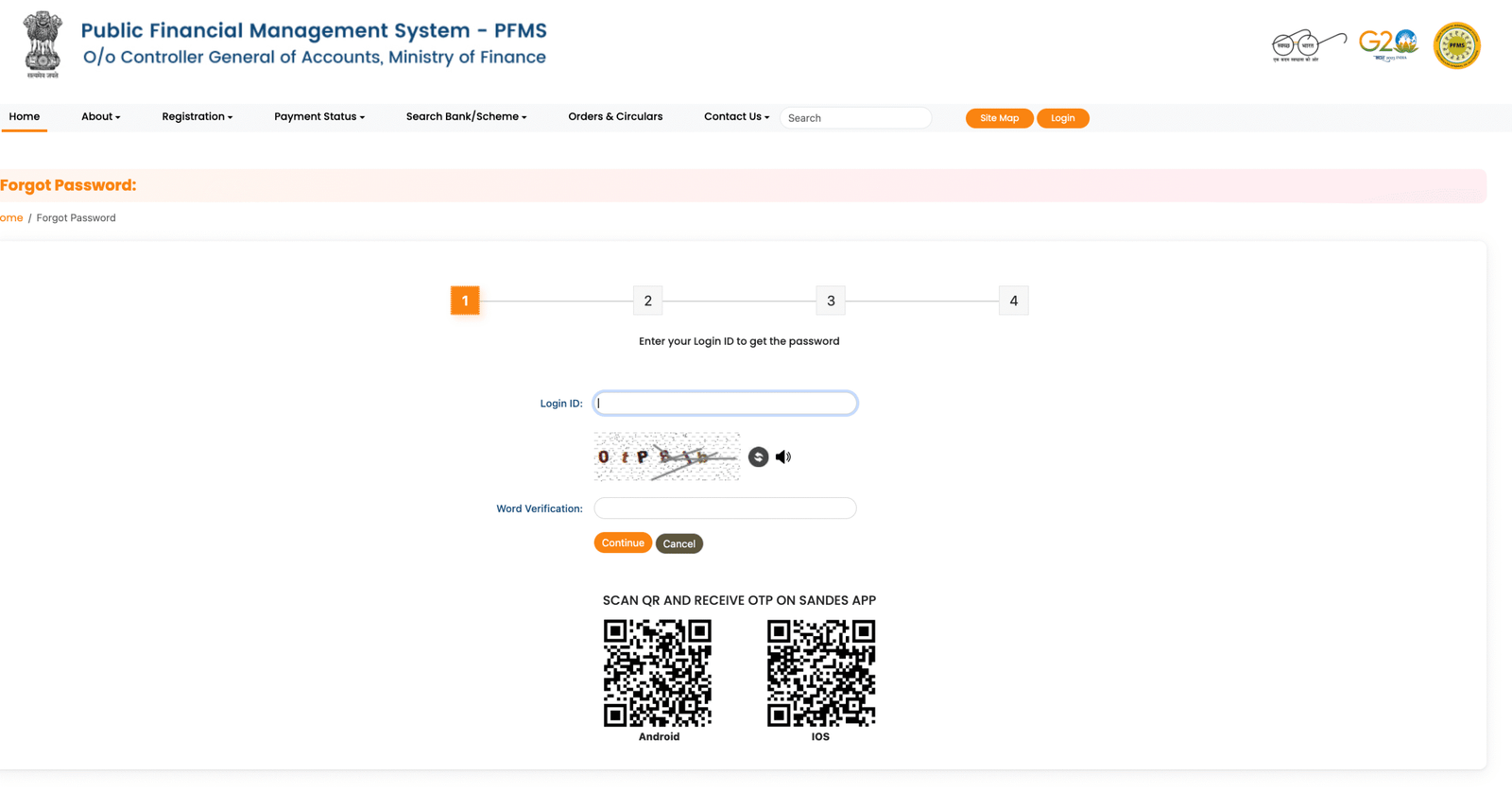
1st Click on “Forgot Password” on the login page.
2nd Enter your registered User ID and email address.
3rd A password reset link will be sent to your registered email.
4th Follow the instructions in the email to reset your password.
5th If the issue persists, contact your nodal officer or email pfms-hd@gov.in.
How to Check PFMS Balance & DBT Payment Status Online (2026)
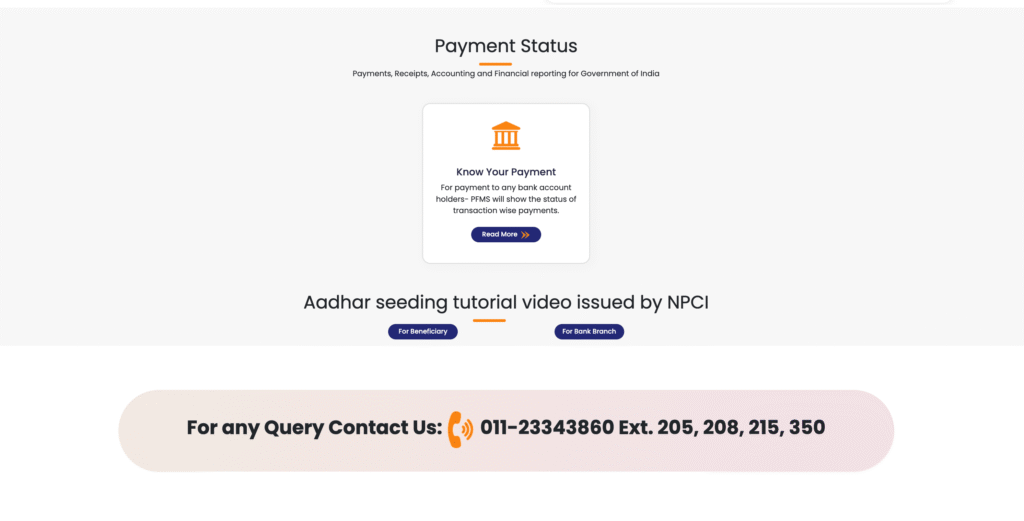
One of the most widely used features of PFMS is the payment status check — and the good news is that you do not need a login to check your payment status. Here’s how:
Method 1: Check Payment Status via Bank Account Number
Step 1: Go to pfms.nic.in
Step 2: On the homepage, look for “Know Your Payment” or navigate to: Services → Payment Status → Know Your Payment
Step 3: Select your Bank Name from the dropdown list.
Step 4: Enter your Bank Account Number.
Step 5: Re-enter your account number in the “Confirm Account Number” field.
Step 6: Enter the CAPTCHA code and click “Search”.
Step 7: Your payment details will appear on screen, showing:
- Payment date
- Amount credited
- Scheme name
- Transaction reference number
- Payment status (Success / Pending / Failed / Rejected)
Method 2: Check DBT Status via Aadhaar Number
Step 1: Visit pfms.nic.in
Step 2: Navigate to “Know Your Payment” section.
Step 3: Enter your 12-digit Aadhaar number.
Step 4: Enter the CAPTCHA and click “Search”.
Step 5: Your DBT payment history linked to your Aadhaar will be displayed.
Pro Tip: If you see “Payment Processed” on PFMS but money hasn’t arrived in your account, wait 2–3 working days. Bank processing time may vary. If it still hasn’t arrived after 5 days, contact your bank with the PFMS Transaction Reference Number.
How to Check Aadhaar Payment Status in PFMS
The Aadhaar-Based Payment System (ABPS) on PFMS allows the government to send money directly to a beneficiary’s bank account that is seeded with Aadhaar — without needing account number details. This is especially crucial for schemes like:
- PM-KISAN (₹6,000/year to farmers)
- MGNREGA (daily wage payments)
- NSP Scholarships (National Scholarship Portal)
- LPG Subsidies
- Widow & Disability Pensions
Step-by-Step: Aadhaar Payment Status Check
Step 1: Visit pfms.nic.in
Step 2: Click on “Know Your Payment” from the top menu or homepage widget.
Step 3: In the search form, select “Aadhaar” as the search mode (if available), or simply enter your Aadhaar number in the account field for Aadhaar-mapped accounts.
Step 4: Enter your 12-digit Aadhaar number.
Step 5: Type the CAPTCHA as shown and press “Search”.
Step 6: Results will show all DBT transactions linked to your Aadhaar, with date, amount, scheme, and status.
What Do Different Aadhaar Payment Statuses Mean?
|
Status |
Meaning |
|
Payment Processed |
Payment has been sent to your bank/Aadhaar account |
|
Success |
Amount has been credited to your account |
|
Pending |
Payment is in queue, will be processed soon |
|
Failed |
Payment could not be processed (see reasons below) |
|
Rejected |
Payment was rejected due to Aadhaar/bank mismatch or ineligibility |
|
Invalid Aadhaar |
Aadhaar is not seeded with an active bank account |
PFMS Payment Status – Common Reasons & Solutions
Many beneficiaries find that their payment status shows “Failed,” “Rejected,” or “Pending” even after months. Here are the most common reasons and their solutions:
❌ Reason 1: Aadhaar Not Seeded with Bank Account
Problem: Your Aadhaar number is not linked to your bank account, so the payment cannot be processed via APBS. Solution: Visit your nearest bank branch with your Aadhaar card and passbook. Request Aadhaar seeding. It is activated within 7 working days.
❌ Reason 2: Incorrect Bank Account Details
Problem: You submitted a wrong account number or IFSC code when registering for the scheme. Solution: Contact the scheme’s implementing agency (e.g., district education office for scholarships, block office for MGNREGA) and request a correction in bank details.
❌ Reason 3: Account Dormant or Frozen
Problem: If your bank account has been inactive for over 2 years, the bank may have made it dormant. Payments to dormant accounts are returned. Solution: Visit your bank branch with valid KYC documents to reactivate your account.
❌ Reason 4: Name Mismatch Between Aadhaar and Bank Records
Problem: The name on your Aadhaar card doesn’t exactly match the name in the bank records (e.g., initials vs. full name). Solution: Get your name corrected at either the UIDAI Aadhaar centre or the bank, so both records match.
❌ Reason 5: NRE/NRO Account Linked
Problem: PFMS does not process payments to NRE/NRO accounts. Solution: Link a regular savings/current account.
❌ Reason 6: Multiple Aadhaar-Bank Linkages
Problem: Your Aadhaar is linked to more than one bank account, creating confusion for APBS routing. Solution: Keep only one active Aadhaar-bank seeding at a time. Contact your bank to update the mapper.
✅ When to Escalate?
If your payment status has been stuck in “Pending” for more than 15 working days, escalate via:
- PFMS Helpline: 1800-111-555
- Email: pfms-hd@gov.in
- Your district-level implementing agency
- CPGRAMS portal (for central government scheme grievances)
How to Register / Create PFMS Account (For Agencies / Institutions)
Individual beneficiaries do not need to create a PFMS account — they can check payment status without logging in. However, government agencies, NGOs, implementing bodies, and autonomous institutions receiving central funds must register on PFMS.
Eligibility for PFMS Registration
- Registered Societies / Trusts
- NGOs receiving government grants
- Universities and autonomous institutions
- State government departments (for centrally sponsored schemes)
- Panchayati Raj Institutions (PRIs)
- Urban Local Bodies (ULBs)
Step-by-Step PFMS Agency Registration Process
Step 1: Visit pfms.nic.in and click on “Track NSP Payments” or go to “Register Agency” from the homepage.
Step 2: Click on “Register” under the “Agency Registration” section.
Step 3: Fill in the Agency Details Form with:
- Agency Name (as per registration certificate)
- Agency Type (Society / Trust / University / Department, etc.)
- PAN Number of the Agency
- Registration Number
- Address & Contact Details
- Bank Account Details (Account Number, IFSC, Bank Name, Branch)
Step 4: Upload the following documents:
- Registration Certificate
- PAN Card of the Agency
- Cancelled Cheque / Bank Passbook front page
- Authorization Letter from Head of Agency
Step 5: Submit the form. A reference/application number will be generated.
Step 6: Your application will be reviewed by the nodal ministry or parent department. Upon approval, login credentials will be shared on your registered email.
Step 7: Login using provided credentials, change the default password, and complete your agency profile.
ℹ️ Note: PFMS registration for agencies is a one-time process. Any change in bank details, head of agency, or address must be updated promptly to avoid payment disruption.
PFMS Helpline Number, Email & Grievance Redressal Process 2026
For any issue related to PFMS — whether it’s a failed payment, login problem, registration query, or technical error — here are the official support channels:
PFMS Helpline & Contact Information
|
Contact Type |
Details |
|
Toll-Free Helpline |
1800-111-555 (Mon–Fri, 9:00 AM – 5:30 PM) |
|
Email (General) |
pfms-hd@gov.in |
|
Email (Technical) |
helpdesk-pfms@gov.in |
|
Official Website |
https://pfms.nic.in |
|
Parent Ministry |
Ministry of Finance, Government of India |
|
Physical Address |
Controller General of Accounts, Lok Nayak Bhawan, Khan Market, New Delhi – 110003 |
Grievance Redressal Process on PFMS
Step 1: First, try resolving the issue through the PFMS helpline (1800-111-555) or email.
Step 2: If unresolved within 7 days, file a grievance on the CPGRAMS portal: pgportal.gov.in
Step 3: Select the ministry as “Ministry of Finance” and category as “PFMS / DBT Payment”.
Step 4: Provide your:
- Aadhaar number or bank account number
- Scheme name
- PFMS Transaction Reference Number
- Screenshot of payment status (if available)
Step 5: You will receive a grievance registration number. Track status on CPGRAMS.
Step 6: If still unresolved, escalate to the Joint Secretary (Budget), Ministry of Finance, or contact your Member of Parliament’s office for flagging.
FAQs – PFMS Portal
Q1. What is PFMS and who manages it?
PFMS (Public Financial Management System) is a Government of India platform managed by the Controller General of Accounts under the Ministry of Finance. It tracks all central government fund flows and DBT payments.
Q2. Is pfms.nic.in the only official PFMS website?
Yes. The only official PFMS portal is https://pfms.nic.in. Beware of fake or phishing websites using similar names.
Q3. Can I check my payment status without login?
Yes. Go to pfms.nic.in → Know Your Payment → Enter your bank account number or Aadhaar number → Enter CAPTCHA → Click Search. No login is required.
Q4. My PFMS status shows “Payment Processed” but money has not come. What should I do?
Wait for 2–3 working days. If money still hasn’t arrived, contact your bank with the PFMS transaction reference number. Also verify that your Aadhaar is correctly seeded with your bank account.
Q5. How do I link Aadhaar with my bank account for DBT?
Visit your bank branch with your original Aadhaar card and passbook/account details. Fill out the Aadhaar seeding form. Alternatively, many banks offer Aadhaar seeding via internet banking or mobile apps.
Q6. Who can register on PFMS as an agency?
Government-registered NGOs, societies, trusts, universities, autonomous bodies, and state government departments receiving central funds can register on PFMS.
Q7. What is ABPS in PFMS?
ABPS stands for Aadhaar-Based Payment System. It routes government payments to the bank account that is linked/seeded with a beneficiary’s Aadhaar number, eliminating the need for account number details.
Q8. What schemes use PFMS for payment?
Hundreds of Central Government schemes use PFMS, including PM-KISAN, MGNREGA, National Scholarship Portal (NSP), LPG Subsidies, PMAY, PM Matru Vandana Yojana, and many more.
Q9. How long does PFMS take to credit money after status shows “Processed”?
Typically 1–3 working days after PFMS shows “Payment Processed.” Delays may occur due to bank processing time, account issues, or public holidays.
Q10. What is the PFMS helpline number?
The toll-free PFMS helpline number is 1800-111-555, available Monday to Friday from 9:00 AM to 5:30 PM IST.