PFMS DBT Payment Status 2026 – How to Check, Status Meanings & Complete Guide
PFMS DBT Payment Status is the real-time tracking information displayed on the Public Financial Management System (PFMS) portal that tells a beneficiary exactly where their government payment stands — from the moment a ministry approves a payment all the way to the credit in their bank account.
DBT stands for Direct Benefit Transfer — the Government of India’s mechanism to electronically transfer financial benefits, subsidies, wages, scholarships, and pensions directly into the Aadhaar-linked bank accounts of eligible citizens, bypassing all intermediaries. PFMS is the digital financial backbone through which all these DBT payments are processed and tracked.
When you check your PFMS DBT payment status, you are essentially asking the government’s own payment system to tell you whether your money has been released, is in transit, has been successfully credited to your bank, or has failed — along with the reason if it failed.
Why Checking PFMS DBT Payment Status Matters
Millions of Indians depend on timely government payments for their daily needs. Students cannot pay semester fees without their scholarship. Farmers need PM-KISAN installments to purchase seeds and fertilizers. Labourers rely on MGNREGS wages for household expenses. Pensioners depend on NSAP transfers for survival.
Before PFMS, beneficiaries had no way to track their government payments. They could only visit their bank branch repeatedly, hoping the money had arrived. PFMS DBT payment status tracking has transformed this experience. Today, any beneficiary can check whether their payment is approved, in transit, or credited — instantly, for free, and without any login — directly on pfms.nic.in.
Official PFMS Portal for DBT Payment Status
The only official and legitimate portal to check PFMS DBT payment status is: https://pfms.nic.in
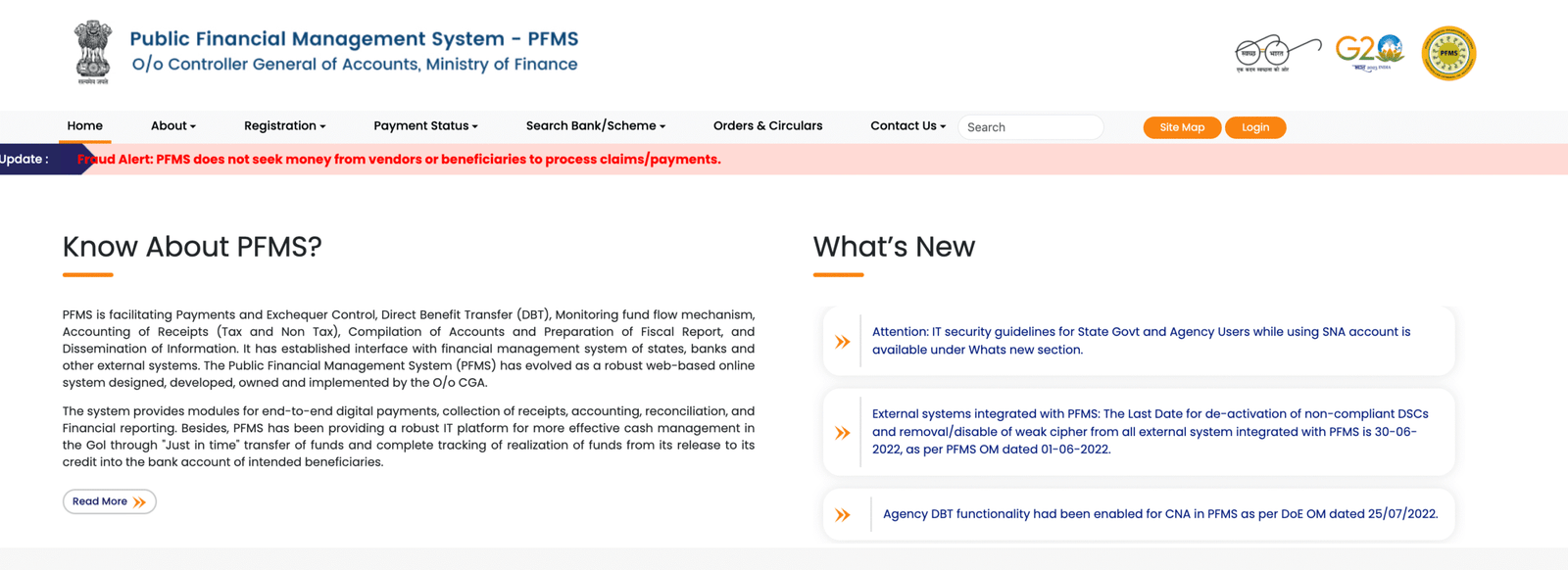
This portal is developed, maintained, and hosted by the Controller General of Accounts (CGA), Department of Expenditure, Ministry of Finance, Government of India. Always verify that the URL ends with .nic.in before entering any personal or banking details. Numerous unofficial websites with similar-looking URLs exist — these may be phishing traps designed to steal your Aadhaar number or bank details.
Two specific pages for DBT status tracking:
- Know Your Payment: https://pfms.nic.in/SitePages/KnowYourPayment_Dw_NewNew.aspx
- DBT Status Tracker: https://pfms.nic.in/SitePages/DBT_StatusTracker.aspx
How PFMS Processes DBT Payments – The End-to-End Flow
Understanding the complete DBT payment journey helps you interpret each status message accurately:
|
Stage |
What Happens |
Status Shown |
|
Stage 1 |
Ministry or Department approves beneficiary list |
Application Approved |
|
Stage 2 |
Approved list sent to PFMS for processing |
Sent to PFMS |
|
Stage 3 |
PFMS validates bank account and Aadhaar with bank/NPCI |
Validation Under Process |
|
Stage 4 |
If validation fails, error flagged back to scheme |
Account Validation Failed |
|
Stage 5 |
If validation succeeds, payment instruction sent to bank |
Payment Under Process |
|
Stage 6 |
Bank receives payment instruction, processes transfer |
Payment Initiated |
|
Stage 7 |
Funds credited to beneficiary’s bank account |
Payment Successful |
|
Stage 8 |
PFMS receives confirmation from bank |
Transaction Completed |
PFMS routes DBT payments through two channels operated by NPCI (National Payments Corporation of India):
• Aadhaar Payment Bridge System (APBS): For payments linked to Aadhaar — routes funds to whichever bank has the active Aadhaar seeding
• National Automated Clearing House (NACH): For account-based payments using bank account number and IFSC code
How to Check PFMS DBT Payment Status – 4 Methods (2026)
Method 1: DBT Payment Status by Bank Account Number (Most Reliable)
This is the most widely used method and works for all government scheme beneficiaries.
Steps:
- Open your browser and go to the official PFMS portal: pfms.nic.in
- On the homepage, hover over the “Payments” tab in the top menu
- Click on “Know Your Payments” from the dropdown
- The tracking interface opens — select “Search by Account Number”
- From the dropdown list, select your Bank Name (PFMS supports all major banks including SBI, PNB, Bank of Baroda, Bank of India, Canara Bank, Union Bank, HDFC, ICICI, Axis Bank, and all regional rural banks)
- Enter your Bank Account Number in the first field
- Re-enter the same account number in the confirmation field (even one digit error will return no results)
- Enter the CAPTCHA code shown on screen — it is case-sensitive; do not copy-paste
- Click the “Search” button
- Your complete PFMS DBT payment history will be displayed
Results include: Transaction date, scheme name, amount transferred, current payment status, and PFMS Transaction Reference Number for each government credit.
Method 2: DBT Payment Status by Aadhaar Number
If your Aadhaar is seeded (linked) with your bank account, this method shows all DBT payments linked to that Aadhaar.
Steps:
- Visit pfms.nic.in
- Go to the “Payments” section in the top menu and click “Know Your Payments”
- On the tracking page, select “Search by Aadhaar Number”
- Enter your 12-digit Aadhaar number carefully (no spaces)
- Select the Bank Name where your Aadhaar is actively seeded
- If you have updated your mobile number in the bank in the last 14 days, check the checkbox that says “I have updated my Mobile Number in Bank in last 14 days” — an OTP will be sent to your registered mobile number for verification
- Enter the CAPTCHA code and click “Search”
- All PFMS-processed DBT payments linked to that Aadhaar-seeded bank account will appear
Note: Only one bank account can be actively seeded with an Aadhaar at a time. If you have linked Aadhaar to multiple banks, search each bank separately or verify active seeding at mapper.npci.org.in.
Method 3: DBT Status Tracker (For Scheme-Specific Status)
The PFMS DBT Status Tracker is a dedicated feature for checking scheme-specific payment status using your Beneficiary Code or Application ID. It shows both beneficiary validation status and payment status.
Steps:
- Visit pfms.nic.in
- Hover over “Payment Status” in the top navigation
- Click on “DBT Status Tracker” — this takes you to: pfms.nic.in/SitePages/DBT_StatusTracker.aspx
- From the “Category” dropdown, select your scheme category:
- National Scholarship Portal (NSP)
- PM-KISAN
- MGNREGS
- State Scholarship Portal
- Any Other External System
- Select the search method: Beneficiary Validation or Payment
- Enter your Beneficiary Code (PFMS Beneficiary ID from DBT MIS Portal) or Application ID (provided when you applied for the scheme)
- Enter the Bank Name from the dropdown
- Complete the CAPTCHA and click Search
- The tracker displays:
- Beneficiary Validation status: Whether your bank account has been validated by PFMS
- Payment status: Complete history of all payments made to date through PFMS
- Rejection reasons: If payment failed, exact rejection reason is shown (e.g., invalid IFSC, Aadhaar de-seeded, account closed)
Method 4: Track NSP DBT Scholarship Payment Status
Specifically designed for students who have applied through the National Scholarship Portal.
Steps:
- Visit pfms.nic.in
- On the homepage or from the Payments menu, click “Track NSP Payments”
- Enter your Bank Name from the dropdown
- Enter your Bank Account Number
- Enter your NSP Application ID — the unique application number from your NSP scholarship portal account
- Enter the CAPTCHA code carefully
- Click “Search”
- Your NSP scholarship DBT payment status will appear showing current stage, date, amount, and whether it has been credited
PFMS DBT Payment Status – All Messages Explained
When you check your status on the PFMS portal, one of the following messages will appear. Here is a complete guide to what each message means and exactly what you should do:
1. Sent to PFMS
Meaning: Your application has been forwarded from the scheme portal (NSP, PM-KISAN, state portal) to PFMS for payment processing. PFMS has received the payment request from the Ministry or Department.
What to do: No action needed at this stage. PFMS is processing your request. The next step is bank account validation.
2. Validation Under Process
Meaning: PFMS is currently verifying your bank account details — account number, IFSC code, and Aadhaar seeding status — with the bank and NPCI. This is a routine pre-payment check.
What to do: Wait 1–3 working days for validation to complete. If this status persists beyond a week, check your bank details on the scheme portal and contact the nodal officer.
3. Account Validation Successful
Meaning: Your bank account details have been verified successfully by PFMS. Your account is correctly mapped and ready to receive the DBT payment.
What to do: Payment will be initiated in the next processing cycle. Usually, payments follow validation within 3–5 working days.
4. Account Validation Failed
Meaning: PFMS could not validate your bank account because the details in the scheme application do not match your bank’s records. This is the most common reason for DBT payment failure.
Common causes of Account Validation Failed:
- Name mismatch between application and bank records (even a single letter difference)
- Incorrect account number (wrong digit entered during application)
- Invalid or outdated IFSC code (especially in banks that have merged or restructured)
- Bank account is closed or dormant
- Aadhaar not linked (de-seeded) from the bank account
- Bank not integrated with NPCI mapper
What to do: Contact your institution’s scholarship nodal officer or the scheme’s district-level officer immediately. Request correction of bank details in the beneficiary database. Do not delay — every day of inaction postpones your payment.
5. Payment Under Process
Meaning: Your bank account has been validated and the payment has been approved. The payment instruction has been prepared by PFMS but has not yet been dispatched to the bank. This is the queue stage before transfer.
What to do: No action needed. Payments at this stage are typically initiated within 3–5 working days. Monitor your status daily.
6. Payment Initiated
Meaning: PFMS has dispatched the payment instruction to your bank via NEFT, RTGS, IMPS, or through the NPCI Aadhaar Payment Bridge. The funds are now in transit between the government account and your bank.
What to do: Expect the amount to reflect in your bank account within 3–7 working days. Save the PFMS Transaction Reference Number shown on screen for bank reconciliation if needed.
7. Payment Successful
Meaning: PFMS has confirmed that the payment has been processed and the funds have been sent to your bank. This does not always mean the money is already visible in your account — banks have their own internal processing time after receiving the credit.
What to do: Check your bank account balance via your bank’s mobile app, net banking, or passbook. If the credit is not visible within 48 hours of “Payment Successful,” wait up to 3–5 working days. If it still doesn’t appear, visit your bank branch with the PFMS Payment Reference ID.
8. Payment Failed
Meaning: The payment transaction was attempted but could not be completed. The funds have been returned to the government account and will need to be reprocessed after the error is corrected.
Common reasons for Payment Failed:
- Bank account closed after application submission
- Aadhaar de-seeded from bank account
- Bank server error or timeout during transaction
- Duplicate payment rejection (beneficiary already received payment from another source)
- Account frozen due to suspicious activity
What to do: Contact the scheme’s helpdesk or your nodal officer immediately. Update your correct and active bank details, ensure Aadhaar seeding, and request reprocessing.
9. No Record Found
Meaning: The PFMS portal has no record of any government payment being initiated for the account number or Aadhaar you entered. This does not mean your application is rejected — it simply means the payment has not yet been forwarded to PFMS from the scheme level.
What to do: Log in to the scheme portal (NSP, PM-KISAN, UP Scholarship, etc.) and check your application status there. If the application is approved at scheme level but PFMS still shows no record after 7 days, contact the scheme’s nodal officer.
10. Processed Under Bank / Disbursed
Meaning: Primarily shown in state scholarship portals (like UP Scholarship). It means the payment file has been processed by PFMS and the credit is being handled by the bank. The actual deposit in the account may take 10–15 days from this stage in some state schemes.
What to do: Monitor your bank account. If the amount hasn’t arrived within 15 days of this status, visit the bank with your reference number.
PFMS DBT Payment Status – Beneficiary-Wise Guide
Students – Scholarship DBT Payment Status
Once the scholarship application is approved, the government transfers the scholarship money directly to the student’s bank account through the Public Financial Management System (PFMS) using the Direct Benefit Transfer (DBT) system.
The scholarship module within PFMS has transformed educational support delivery across India. In 2026, the system processes scholarships for over 4 crore students annually, covering pre-matric, post-matric, merit-cum-means, and minority scholarships. When students apply for scholarships through the National Scholarship Portal or state-specific platforms, approved applications are forwarded to PFMS for payment processing.
How to check: Use the “Track NSP Payments” option on pfms.nic.in or the DBT Status Tracker with your NSP Application ID.
Typical timeline: After application approval on NSP → Institute verification (1–4 weeks) → District/State verification (1–2 weeks) → Sent to PFMS → Bank validation (1–3 days) → Payment Initiated → Credit in account (3–7 working days).
March 2026 Update: Students across India are currently checking their PFMS Scholarship Status 2026 as scholarship payments are being released through the Direct Benefit Transfer (DBT) system.
Farmers – PM-KISAN DBT Payment Status
PMKISAN (Pradhan Mantri Kisan Samman Nidhi) is a Central Sector Scheme of Ministry of Agriculture for the cash transfer directly in the account of farmers (approx. 10.5 crore) to give minimum income support which will be deposited directly to their bank accounts.
Under PM Kisan, every eligible farmer family receives ₹6,000 per year, paid in three equal instalments of ₹2,000 each, directly into their bank accounts via DBT.
22nd Installment (March 2026): Prime Minister Shri Narendra Modi released the 22nd instalment of the Pradhan Mantri Kisan Samman Nidhi (PM Kisan) scheme on 13 March 2026 from Guwahati, Assam. In this instalment, more than ₹18,640 crore was deposited directly into the bank accounts of over 9.32 crore farmer families through Direct Benefit Transfer (DBT).
How to check PM-KISAN PFMS DBT Status:
- Visit pfms.nic.in
- Click on “DBT Payment Status” on the homepage
- Select PM-KISAN from the category option
- Enter your bank name, application number or beneficiary code, and CAPTCHA
- Click Search to view your installment payment status
Important: Non-receipt of the PM-Kisan installment usually occurs due to incomplete e-KYC, Aadhaar not linked to the bank account, incorrect bank details, land record mismatch, or inclusion under the exclusion category.
Labourers – MGNREGS Wage DBT Payment Status
MGNREGA is being operated as a Centrally sponsored scheme where Central Government is mandated to meet the cost of the wages for unskilled manual work and wages component of MGNREGA to 10.5 crore (approx).
MGNREGS wages are transferred directly to workers’ bank or post office accounts through PFMS. Workers can check DBT payment status using their job card number or bank account number on the PFMS portal.
LPG Consumers – PAHAL Scheme DBT Payment Status
The biggest DBT schemes of the Central Government, in terms of number of Beneficiaries (over 29 crore beneficiaries), “PAHAL” of M/o PNG has successfully on-boarded on PFMS portal w.e.f. 1st August 2021. Onboarding of DBT PAHAL Scheme on PFMS is expected to help in the removal of ghost beneficiaries resulting in significant savings.
PAHAL beneficiaries can check LPG subsidy credit status on pfms.nic.in using the DBT Status Tracker with their Aadhaar or LPG consumer number.
UP Scholarship Beneficiaries – DBT Payment Status (2026)
Students in Uttar Pradesh who applied for the UP Scholarship for the academic session 2025–26 are now waiting for the latest update on their payment. Every year lakhs of students apply for this financial assistance scheme and track their UP Scholarship Status 2026 to know whether the scholarship amount has been released. The UP Scholarship payment process for 2026 is expected to begin soon. Eligible students will receive the scholarship amount directly in their bank accounts through the Direct Benefit Transfer (DBT) system.
Reports suggest that the UP Scholarship payment status 2026 may start updating on the PFMS portal between 10 March 2026 and 18 March 2026. Once the payment is processed, students can see the UP scholarship status PFMS portal showing “Disbursed” or “Processing under Bank”. After the status shows disbursed, the amount generally reaches the bank account within 10–15 days.
DBT Payment Status – PFMS vs Scheme Portal: What to Check Where
Many beneficiaries get confused about whether to track status on the PFMS portal or the scheme portal. Here is a clear comparison:
|
What You Want to Know |
Where to Check |
|
Has the scholarship/DBT payment been credited to my bank? |
pfms.nic.in – Know Your Payment |
|
What is the payment amount and transaction date? |
pfms.nic.in – Know Your Payment |
|
What stage is my application in (institute/district/state verification)? |
scholarships.gov.in (NSP) or scheme portal |
|
Is my PM-KISAN installment released? |
pfms.nic.in – DBT Status Tracker (select PM-KISAN) |
|
Why has my payment failed? |
pfms.nic.in – DBT Status Tracker (shows rejection reason) |
|
Has my UP Scholarship payment been released? |
pfms.nic.in – Know Your Payment (bank account method) |
|
Is my Aadhaar seeded with my bank? |
mapper.npci.org.in |
|
Was my application rejected at scheme level? |
Scheme-specific portal (NSP, PM-KISAN portal) |
SMS Alerts for PFMS DBT Payment Status
To ensure more and more citizen-centric services for DBT beneficiaries, PFMS has started sending SMS to the beneficiaries of DBT schemes.
These SMS alerts notify beneficiaries when:
- A payment has been initiated from the government’s side
- A payment has been successfully credited to the bank account
- A payment has failed with the reason code
To receive these alerts, your active mobile number must be registered with your bank. Update your mobile number at your bank branch if you have recently changed your number.
Common PFMS DBT Payment Status Problems and Solutions
Problem 1: Status Shows “Account Validation Failed”
Root cause: This happens when the bank details you provided during application do not match the records your bank holds. It is usually a mismatch in name spelling, account number, or IFSC code.
Solution: Contact your institution’s nodal officer or scheme district-level officer to correct the bank details in the beneficiary database. Verify name spelling, account number, and IFSC code — all three must exactly match your bank passbook.
Problem 2: “Payment Successful” but Money Not Received
This is the most common reason for payment failure. It means your name or account number in the scholarship form doesn’t match your bank records. You must get these corrected immediately with the agency that manages your scheme.
Solution: Wait 3–7 working days. If the payment still does not appear, contact your bank with the PFMS Payment Reference ID.
Problem 3: “No Record Found” for Recent Applicants
Root cause: This usually means the payment has not yet been initiated by the government or the application is still under verification.
Solution: Log in to the scheme portal and check your application verification status. If approved there but no record on PFMS, contact the scheme’s nodal officer.
Problem 4: Bank Not Mapped / PFMS Cannot Route Payment
PFMS Bank Not Mapped means PFMS cannot recognize or route payments to your bank account. Banks frequently merge branches or update IFSC codes. Old IFSC = payment failure. Some cooperative, rural, or newly opened banks may not be fully integrated. Many schemes require Aadhaar-based DBT mapping.
Solution: Verify IFSC code at the RBI website. Update the correct IFSC code with the nodal officer. Contact your bank to confirm PFMS integration and NPCI mapping status.
Problem 5: Payment Pending Due to eKYC Not Done (PM-KISAN)
Root cause: PM-KISAN now requires mandatory eKYC for all beneficiaries. Without completed eKYC, installments are withheld even if the application is otherwise valid.
Solution: Complete eKYC at the PM-KISAN portal (pmkisan.gov.in) using OTP-based Aadhaar authentication or face authentication at Common Service Centres (CSC).
Problem 6: PFMS Website Not Loading
Solution: Try a different browser (Chrome, Firefox, Edge). Use mobile data instead of WiFi. Visit during off-peak hours (early morning or late evening) as the site can get congested.
Problem 7: Invalid CAPTCHA Error
Solution: Type the CAPTCHA manually — it is case-sensitive. Click the refresh icon next to the CAPTCHA to generate a new, clearer one. Never use copy-paste for CAPTCHA.
Preconditions for Successful PFMS DBT Payment Credit
To ensure your DBT payment is processed without issues:
- Active bank account in your own name (not in parent’s or spouse’s name for individual DBT schemes)
- Aadhaar seeded with the bank account (visit your branch with Aadhaar card to request linking)
- Correct name in the application — must match exactly with bank records and Aadhaar
- Valid and current IFSC code — verify at the RBI IFSC repository
- Correct account number — double-check before final submission
- Active mobile number registered with bank for SMS alerts and OTP
- eKYC completed for PM-KISAN and other schemes requiring it
- No dormancy — make at least one transaction every 6 months to keep the account active
- NPCI Aadhaar mapper active — verify at mapper.npci.org.in
- Scheme verification complete — all stages (institute, district, state) must be approved
How to Verify Aadhaar Seeding for DBT Payment
Aadhaar seeding is one of the most critical requirements for DBT payments via PFMS. Here is how to verify and update it:
To verify Aadhaar seeding status:
- Visit mapper.npci.org.in
- Select “DBT” in the scheme type
- Enter your Aadhaar number and select your bank
- Complete OTP verification
- The screen will show whether your Aadhaar is actively seeded and with which bank
To link Aadhaar with bank account:
- Visit your bank branch with original Aadhaar card and a self-attested photocopy
- Fill the Aadhaar seeding form provided by the bank
- Seeding typically reflects in 2–3 working days
- You can also do Aadhaar seeding via your bank’s mobile app or net banking under the “Update Aadhaar” section
PFMS DBT Payment Status Check via UMANG App
UMANG provides a single platform for all Indian citizens to access pan-India e-Government services. PFMS services including DBT payment status tracking are available on the UMANG app.
Please follow the below mentioned steps to check DBT payment status via UMANG App
- Download UMANG from Google Play Store or Apple App Store
- Register or log in with your mobile number
- Search for “PFMS” in the search bar
- Select the PFMS service
- Choose “Know Your Payment” or “DBT Status”
- Enter your bank account number or Aadhaar and check status
UMANG is a verified, official government app — a safe alternative to visiting pfms.nic.in when using a mobile device.
Key Differences: Know Your Payment vs DBT Status Tracker
|
Feature |
Know Your Payment |
DBT Status Tracker |
|
URL |
pfms.nic.in/KnowYourPayment |
pfms.nic.in/DBT_StatusTracker |
|
Search By |
Bank Account Number / Aadhaar / NSP ID |
Beneficiary Code / Application ID |
|
Best For |
Checking if payment is credited |
Checking scheme-specific payment pipeline |
|
Shows Rejection Reason |
No (only status) |
Yes (detailed rejection codes) |
|
Beneficiary Validation |
Not shown separately |
Shown separately |
|
Payment History |
Complete history |
Scheme-specific history |
|
Login Required |
No |
No |
PFMS DBT Payment Status – Important Timelines
|
Event |
Expected Timeline |
|
Account Validation (after being sent to PFMS) |
1–3 working days |
|
Payment Initiation (after validation success) |
3–5 working days |
|
Bank Credit (after Payment Initiated) |
3–7 working days |
|
Bank Credit (after Payment Successful on PFMS) |
24–48 hours (up to 5 days) |
|
PFMS DBT status update after real-world credit |
Within 24 hours |
|
Reprocessing after Payment Failed |
7–15 working days (after bank details corrected) |
PFMS DBT Helpline and Support
If you are unable to resolve your payment status issue through the portal, contact official support:
PFMS Helpdesk:
- Toll-Free: 1800-118-111 (free from all networks, government working hours)
- Direct Number: 011-23343860 (Monday to Friday, 9:30 AM – 6:00 PM)
- Email: helpdesk-pfms@gov.in
- Portal: pfms.nic.in
NSP Helpdesk (For Scholarship Status):
- Phone: 0120-6619540
- Email: helpdesk@nsp.gov.in
- Portal: scholarships.gov.in
PM-KISAN Helpdesk (For Farmer Installments):
- Phone: 155261 / 011-24300606
- Email: pmkisan-ict@gov.in
- Portal: pmkisan.gov.in
DBT Mission Helpdesk:
- Portal: dbtbharat.gov.in
When contacting any helpdesk, keep these details ready: scheme name, application/beneficiary ID, bank account number, Aadhaar number, and PFMS Payment Reference ID.
Frequently Asked Questions (FAQs) – PFMS DBT Payment Status
Q1. What is PFMS DBT payment status?
PFMS DBT payment status is the real-time record of a government Direct Benefit Transfer payment — showing whether it is approved, under process, initiated, successfully credited, or failed — as tracked on the PFMS portal at pfms.nic.in.
Q2. How do I check my PFMS DBT payment status without login?
Visit pfms.nic.in, go to “Know Your Payments” under the Payments menu, select “Search by Account Number,” enter your bank name, account number (twice), and CAPTCHA, then click Search. No login or password required for beneficiaries.
Q3. What does “Payment Initiated” mean on PFMS?
After “Payment Initiated” status appears on PFMS, money typically reaches your bank account within 3–5 working days. However, during peak periods, it may take up to 7 days.
Q4. Why does PFMS show “Account Validation Failed”?
This happens when the bank details you provided during application do not match the records your bank holds. It is usually a mismatch in name spelling, account number, or IFSC code.
Q5. How long does PFMS DBT payment take after approval?
After payment initiation, the scholarship amount is usually credited within 3–7 working days.
Q6. Why does PFMS show “No Record Found” for my account?
This usually means the payment has not yet been initiated by the government or the application is still under verification. Check your application status on the scheme portal first.
Q7. Can I check PFMS DBT payment status by Aadhaar number?
Yes. Go to pfms.nic.in, select “Know Your Payments,” choose “Search by Aadhaar Number,” enter your 12-digit Aadhaar, select your bank, complete the CAPTCHA, and submit.
Q8. What is the DBT Status Tracker on PFMS?
The DBT Status Tracker at pfms.nic.in/SitePages/DBT_StatusTracker.aspx allows beneficiaries to check both beneficiary validation status and payment status using their Beneficiary Code or Application ID. It shows the history of all payments made till date through PFMS.
Q9. What should I do if my PFMS DBT payment failed?
Students should verify their bank details, ensure Aadhaar linking, and contact the scholarship authority if needed. For other schemes, contact the scheme’s district-level nodal officer to correct bank details and request reprocessing.
Q10. Is checking PFMS DBT payment status free?
Yes. Checking your payment status on pfms.nic.in is completely free. No registration, no login, and no fee is required for beneficiaries.
Q11. Can PFMS DBT payment status be checked on mobile?
Yes. Visit pfms.nic.in on your mobile browser or use the official UMANG app to access PFMS services including DBT payment status tracking.
Q12. What is the difference between “Payment Successful” and money actually arriving in the bank?
“Payment Successful” on PFMS means PFMS has processed and sent the funds to the bank. The actual credit in your bank account may take a further 24–48 hours due to the bank’s internal processing time. If not credited within 5 working days of this status, visit your bank branch with the PFMS Payment Reference ID.