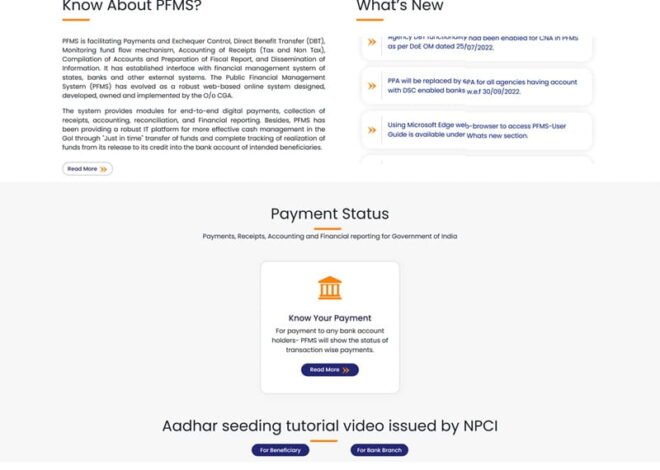
How NGOs and Implementing Agencies Register on PFMS
Government schemes don’t run only through departments. A large part of the work on the ground is handled by NGOs, societies, trusts, and other implementing agencies. These organizations receive funds, carry out projects, and report utilization.
To make this system transparent and trackable, all such agencies must register on PFMS (Public Financial Management System). Without registration, they cannot receive funds from most central schemes.
Why PFMS Registration Is Mandatory
PFMS registration is not just a formality. It serves a clear purpose:
- Ensures only verified agencies receive government funds
- Creates a digital identity for each organization
- Enables direct fund transfer and tracking
- Supports audit and reporting requirements
PFMS portal: https://pfms.nic.in/Home.aspx
In short, PFMS acts as the official gateway between the government and implementing agencies.
Who Needs to Register on PFMS?
Registration is required for:
- NGOs and charitable trusts
- Societies registered under Societies Act
- Autonomous bodies
- Educational institutions receiving grants
- State or district-level implementing agencies
Any entity receiving funds under central schemes must be onboarded.
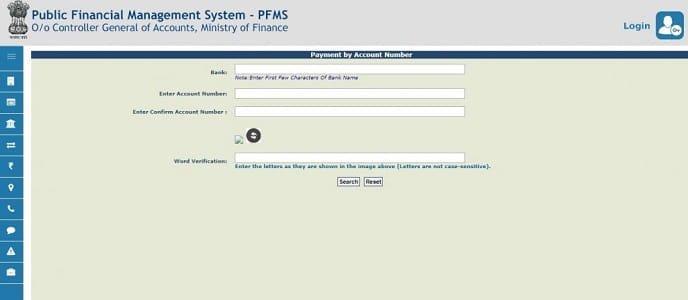
Step-by-Step: PFMS Registration Process
1. Visit the PFMS Portal
Go to the official PFMS website and navigate to:
- “Register Agency” or “Agency Registration” section
This is the starting point for new users.
2. Enter Basic Organization Details
The agency must provide:
- Name of organization
- Type (NGO, society, trust, etc.)
- Registration number and date
- Address and contact details
All details should match official documents.
3. Provide Scheme and Ministry Details
Next step involves:
- Selecting the scheme under which funds will be received
- Choosing the concerned ministry or department
This links the agency with a specific government program.
4. Add Bank Account Details
Bank information is critical:
- Account number
- IFSC code
- Bank and branch name
PFMS validates these details before approval.
5. Upload Required Documents
Agencies need to upload:
- Registration certificate
- PAN card
- Bank authorization letter
- Other supporting documents (if required)
Documents must be clear and valid.
6. Submit for Approval
Once all details are filled:
- Application is submitted online
- Sent to concerned authority for verification
The agency cannot receive funds until approval is complete.
7. Verification by Authorities
Authorities check:
- Authenticity of organization
- Document validity
- Bank account details
If everything is correct, registration is approved.
8. Activation and Login Access
After approval:
- Agency gets login credentials
- Can access PFMS dashboard
- Ready to receive and track funds
Key Features of PFMS Registration System
1. Unique Agency ID
Each registered agency gets a unique identifier.
2. Bank Account Validation
Ensures funds go to the correct account.
3. Scheme Mapping
Agencies are linked to specific schemes.
4. Digital Record Keeping
All details are stored centrally.
5. Transparency and Tracking
Every transaction can be monitored.
What Agencies Can Do After Registration
Once registered, agencies can:
- Receive funds directly into bank account
- Track fund releases and payments
- Submit utilization reports
- Monitor scheme-wise transactions
- Generate financial reports
This improves accountability.
Common Mistakes During Registration
Many applications get delayed due to:
- Incorrect bank details
- Mismatch in organization name
- Missing or unclear documents
- Wrong scheme selection
- Incomplete information
Double-checking details can save time.
How Long Approval Takes
Approval time may vary:
- Usually a few days to a couple of weeks
- Depends on document verification and authority response
Delays happen if corrections are needed.
Recent Updates (2025–2026)
- Simplified registration forms
- Faster document verification process
- Improved bank validation system
- Better tracking of application status
PFMS registration help: https://pfms.nic.in/SitePages/FAQ.aspx
These updates aim to make onboarding easier.
Tips for Smooth Registration
To avoid issues:
- Use correct and updated documents
- Ensure bank account is active
- Match details exactly with official records
- Upload clear scanned copies
- Track application status regularly
These steps help speed up approval.
FAQs
1. Is PFMS registration mandatory for NGOs?
Yes, if they want to receive funds under central government schemes.
2. Can an agency register for multiple schemes?
Yes, agencies can be mapped to multiple schemes if eligible.
3. What happens if registration is rejected?
The agency must correct errors and reapply.
4. Is there any fee for PFMS registration?
No, registration is free.
5. Can agencies update their details later?
Yes, details can be updated after approval with proper authorization.
6. How can agencies track payments?
They can log into PFMS and check transaction status and reports.
Conclusion
PFMS registration is the first step for NGOs and implementing agencies to become part of the government funding system. It creates a transparent and structured way to receive, use, and report funds.
By digitizing this process, PFMS ensures that only verified organizations handle public money—and that every rupee can be tracked. For agencies working on the ground, this system not only brings accountability but also builds trust with the government and the public.