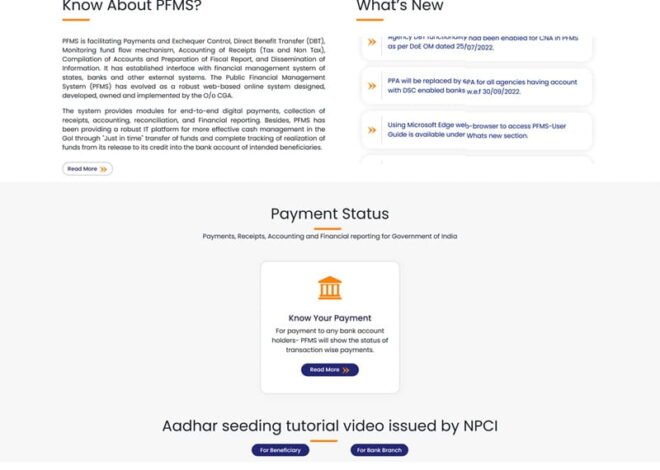
PFMS and eBill System: Digital Payments for Government Offices
Government offices handle thousands of bills every day—salaries, vendor payments, reimbursements, utility bills, and more. Earlier, most of this work depended on paper files, physical signatures, and long approval chains. Payments were slow, tracking was difficult, and errors were common.
The introduction of the eBill system integrated with PFMS (Public Financial Management System) has changed this completely. Today, government payments are becoming faster, paperless, and fully traceable.
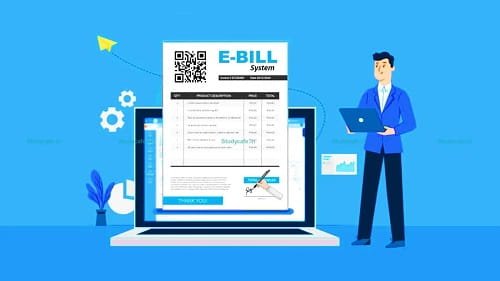
What the eBill System Actually Does
The eBill system is a digital platform used by government departments to:
- Create bills electronically
- Process approvals online
- Send payment instructions through PFMS
👉 PFMS portal: https://pfms.nic.in/Home.aspx
Instead of moving physical files from one desk to another, everything happens within a digital workflow.
Where eBill Is Used in Government Offices
The system is used for multiple types of payments:
- Employee salaries and allowances
- Vendor and contractor payments
- Office expenses and reimbursements
- Grants and institutional payments
It works across ministries, departments, and attached offices.
Step-by-Step: How eBill Payments Work with PFMS
1. Bill Creation by Department
The process starts when a department:
- Enters bill details into the eBill system
- Includes amount, purpose, and beneficiary details
- Attaches supporting documents
This replaces manual bill preparation.
2. Digital Verification and Approval
Once created:
- Bill moves through approval hierarchy
- Officers review and approve digitally
- Comments or corrections can be added
No physical signatures are required.
3. Integration with PFMS
After approval:
- Bill data is sent to PFMS
- Beneficiary details are validated
- Budget availability is checked
Only valid bills proceed further.
4. Payment Authorization
PFMS authorizes the payment:
- Confirms account details
- Verifies scheme or budget head
- Generates payment instruction
This ensures accuracy before release.
5. Fund Transfer Through Banking System
Once approved:
- Payment is sent through banking channels (NEFT/RTGS)
- Funds are credited to beneficiary account
- No manual handling of cash or cheques
6. Status Update and Record Keeping
After payment:
- PFMS updates transaction status
- eBill system reflects completion
- Digital records are stored for audit
Everything is traceable in real time.
Key Features of PFMS eBill Integration
1. Paperless Workflow
No need for physical files or manual signatures.
2. Faster Processing
Bills move quickly through digital approvals.
3. Real-Time Tracking
Departments can track bill status at any stage.
4. Secure Payment System
Multiple validation layers ensure safe transactions.
5. Centralized Record Keeping
All bills and payments are stored digitally.
6. Audit-Friendly System
Records can be accessed easily during audits.
Why eBill + PFMS Matters for Government Offices
1. Reduces Delays
Digital processing cuts down approval time significantly.
2. Improves Transparency
Every step is recorded and visible.
3. Minimizes Errors
Automated checks reduce manual mistakes.
4. Strengthens Financial Control
Payments are linked with budget and authorization.
5. Saves Time and Resources
Less paperwork and administrative effort.
Difference Between Old System and eBill System
Earlier System:
- Paper-based bills
- Manual approvals
- Physical file movement
- Delayed payments
eBill + PFMS System:
- Digital bill creation
- Online approvals
- Instant tracking
- Faster payments
This shift has modernized government financial operations.
Role of PFMS in eBill System
PFMS acts as the payment engine and control layer.
- Validates beneficiary details
- Ensures budget compliance
- Processes fund transfer
- Records every transaction
Without PFMS, eBill would only handle documentation, not payments.
Common Challenges in eBill Implementation
Some issues still exist:
- Lack of digital training in some offices
- Initial resistance to change
- System downtime or technical glitches
- Data entry errors
These are reducing as adoption increases.
Recent Updates (2025–2026)
- Improved user interface for faster bill entry
- Better integration with departmental systems
- Enhanced security features
- Faster approval workflows
👉 PFMS system features: https://pfms.nic.in/SitePages/Features.aspx
These updates aim to make the system smoother and more reliable.
Best Practices for Government Offices
To use eBill effectively:
- Ensure accurate data entry
- Train staff regularly
- Monitor pending bills
- Use dashboards for tracking
- Avoid last-minute bulk processing
Proper usage improves efficiency.
FAQs
1. What is the eBill system?
It is a digital platform for creating, approving, and processing government bills online.
2. How does PFMS support eBill?
PFMS validates bill data and processes payments to beneficiaries.
3. Are eBill payments faster than traditional methods?
Yes, digital processing significantly reduces delays.
4. Is the system secure?
Yes, it uses multiple validation and authentication layers.
5. Can bill status be tracked?
Yes, departments can track status in real time.
6. Is eBill used across all departments?
It is being widely adopted across central and state government offices.
Conclusion
The integration of PFMS with the eBill system has transformed how government offices handle payments. What once took days or weeks can now be done in hours with full transparency.
By moving from paper-based processes to digital workflows, the system has improved efficiency, reduced errors, and strengthened financial control.
In today’s governance model, eBill and PFMS together are not just tools—they are essential for modern, accountable, and efficient public finance management.