PFMS MIS Reports: What Data Is Available and Who Can Access It
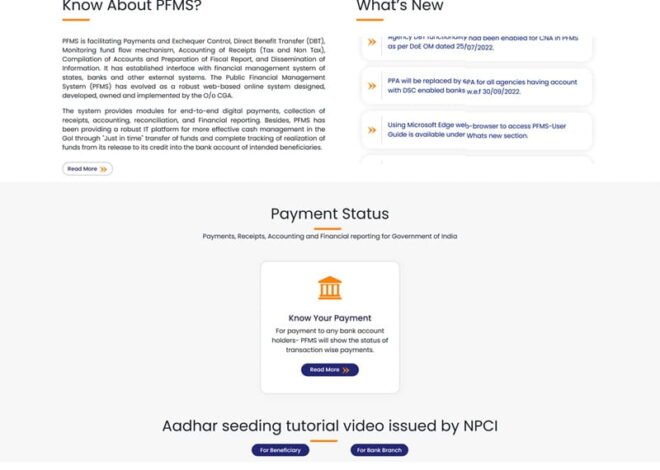
Behind every government scheme is a steady flow of numbers—how much money was released, how much was spent, where it went, and what remains. PFMS (Public Financial Management System) turns all of that into structured MIS (Management Information System) reports.
These reports are not just for record-keeping. They are used daily by ministries, states, districts, and even auditors to track performance and make decisions. If PFMS is the engine, MIS reports are the dashboard.
What PFMS MIS Reports Actually Show
PFMS MIS reports provide a detailed picture of financial activity across schemes and departments. The data is organized in a way that is easy to analyze.
👉 PFMS reports section: https://pfms.nic.in/SitePages/Reports.aspx
At a basic level, these reports answer three key questions:
- How much money was released?
- How much has been spent?
- Where exactly did it go?
Types of Data Available in PFMS MIS Reports
1. Fund Release Data
Shows:
- Amount released by the central government
- Date of release
- Scheme and department details
This helps track allocation patterns.
2. Expenditure Data
One of the most important sections:
- Total spending under each scheme
- State-wise and district-wise expenditure
- Component-level spending
This helps monitor performance.
3. Balance and Unspent Funds
Reports include:
- Remaining balance
- Unutilized funds
- Pending amounts
This helps identify inefficiencies.
4. Scheme-Wise Reports
Detailed breakdown for each scheme:
- Allocation vs expenditure
- Progress over time
- Performance across regions
Useful for evaluation.
5. Agency-Wise Data
Shows:
- Funds received by each agency
- Payments made
- Utilization status
Helps track implementing agencies.
6. DBT (Direct Benefit Transfer) Reports
Important for beneficiary schemes:
- Number of beneficiaries paid
- Total DBT amount transferred
- Success and failure rates
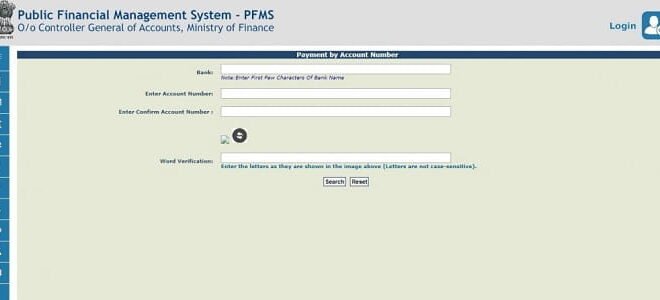
7. Payment Status Reports
Includes:
- Successful transactions
- Failed payments
- Pending transactions
Helps resolve issues quickly.
8. Bank and Transaction Data
Shows:
- Bank-wise payments
- Transaction timelines
- Payment modes used
Useful for financial analysis.
How MIS Reports Are Structured
PFMS reports are usually available in:
- Dashboard view (graphs and summaries)
- Detailed tables
- Downloadable formats (Excel/PDF)
Users can filter data by:
- Scheme
- State
- Time period
- Department
This flexibility makes reporting powerful.
Who Can Access PFMS MIS Reports
Access depends on user role and authorization.
1. Central Ministries
- Full access to scheme-level data
- Can view national-level reports
2. State Governments
- Access to state-specific data
- Can track district-level performance
3. Departments and Agencies
- Limited to their own schemes and funds
- Can generate operational reports
4. Panchayats and Local Bodies
- Access to local-level fund data
- Can track their own transactions
5. Auditors and Oversight Bodies
- Access for audit and verification
- Can review historical data
6. Public Access (Limited)
Some summary reports are available publicly:
- Scheme dashboards
- Basic financial summaries
But detailed data requires login access.
Why MIS Reports Are Important
1. Real-Time Decision Making
Officials don’t have to wait for monthly reports—they can act instantly.
2. Performance Monitoring
Helps identify:
- Underperforming regions
- Delayed spending
- Fund bottlenecks
3. Transparency
Clear visibility of fund usage builds trust.
4. Better Planning
Historical data helps in:
- Budget planning
- Policy decisions
5. Audit and Compliance
MIS reports provide ready data for audits.
Practical Use Cases
For Ministries
- Monitor national scheme performance
For States
- Track district-wise spending
For Agencies
- Manage day-to-day finances
For Auditors
- Verify fund utilization
Common Challenges in Using MIS Reports
Some users face:
- Difficulty in understanding report formats
- Data overload due to large datasets
- Delays in data entry affecting accuracy
Training and experience help overcome these issues.
Recent Updates (2025–2026)
- Improved dashboards with better visuals
- Faster report generation
- Enhanced filtering options
- More detailed DBT and transaction reports
👉 PFMS dashboard: https://pfms.nic.in/NewDefaultHome.aspx
These updates make MIS reports more user-friendly.
Best Practices for Using MIS Reports
To get the most out of PFMS reports:
- Check data regularly, not occasionally
- Use filters to focus on relevant data
- Cross-verify with ground-level reports
- Train staff on report interpretation
Proper usage improves decision-making.
FAQs
1. What are PFMS MIS reports?
They are structured reports showing fund allocation, expenditure, and transactions.
2. Can anyone access PFMS reports?
Basic reports are public, but detailed data requires login access.
3. What kind of data is included?
Fund release, expenditure, DBT payments, balances, and transaction details.
4. Are reports updated in real time?
Most reports are updated in real time or near real time.
5. Why are MIS reports important?
They help in monitoring, decision-making, and ensuring transparency.
6. Can reports be downloaded?
Yes, reports can be downloaded in formats like Excel or PDF.
Conclusion
PFMS MIS reports turn complex financial data into clear, usable information. They give governments, agencies, and auditors the ability to track funds, measure performance, and take timely action.
In a system handling massive public resources, this level of visibility is essential. PFMS doesn’t just store data—it makes that data work for better governance.