The Ultimate Troubleshooting Guide for PFMS Error Codes
If you’ve ever checked your payment status on the PFMS portal and seen an error code instead of success, you’re not alone. These codes can feel confusing at first. But once you understand what they mean, fixing the issue becomes much easier.
This guide breaks down the most common PFMS error codes, why they happen, and what you can actually do to resolve them.
What Are PFMS Error Codes?
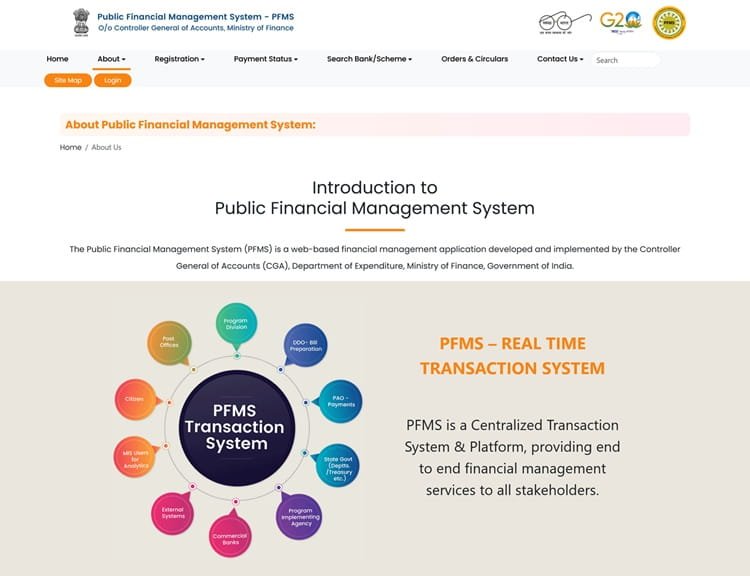
PFMS (Public Financial Management System) error codes are system-generated messages. They appear when something goes wrong during payment processing.
Instead of showing long technical details, the system uses short codes like:
- Account validation failed
- Aadhaar not linked
- Bank rejected transaction
Each code points to a specific problem in the payment process.
Why Do PFMS Errors Occur?
Most PFMS errors are not random. They usually happen due to one of these reasons:
- Incorrect bank details
- Incorrect login details
- Aadhaar not linked with bank account
- Mismatch in name or account data
- Inactive or closed bank account
- Technical issues at bank or NPCI level
In simple words, the system is very strict. Even a small mismatch can stop the payment.
Most Common PFMS Error Codes and Fixes
Let’s go through the errors people face most often.
1. Account Validation Failed
What it means: Your bank account details could not be verified.
Why it happens:
- Wrong account number
- Incorrect IFSC code
- Bank account not active
How to fix it:
- Double-check account number and IFSC
- Visit your bank to confirm details
- Update correct details in the scheme portal
2. Aadhaar Not Mapped to Account
What it means: Your Aadhaar is not linked with your bank account for DBT.
Why it happens:
- Aadhaar not linked
- Linking not updated in NPCI system
How to fix it:
- Visit your bank branch
- Ask for Aadhaar seeding
- Wait 2–5 days for update
3. Bank Rejected Payment
What it means: The bank refused to process the transaction.
Why it happens:
- Dormant account
- KYC incomplete
- Account frozen
How to fix it:
- Complete KYC at bank
- Reactivate your account
- Ensure account is operational
4. Invalid Account Number
What it means: The account number entered does not exist or is incorrect.
Why it happens:
- Typing mistake
- Wrong digits
How to fix it:
- Re-enter correct account number
- Cross-check with passbook
5. Name Mismatch Error
What it means: Your name in PFMS does not match bank records.
Why it happens:
- Spelling differences
- Different formats (e.g., initials vs full name)
How to fix it:
- Update name either in bank or scheme portal
- Keep same spelling everywhere
6. Payment Pending
What it means: Payment is still under process.
Why it happens:
- Delay in approval
- System processing time
How to fix it:
- Wait a few days
- Check status again later
7. Duplicate Payment Request
What it means: The system detected multiple payment attempts.
Why it happens:
- Same request submitted twice
How to fix it:
- Avoid reapplying repeatedly
- Contact scheme authority if needed
Step-by-Step Troubleshooting Process
If you see any PFMS error, follow this order:
- Check your bank account details
- Verify Aadhaar linking
- Confirm account is active and KYC updated
- Match your name across all records
- Contact bank if issue persists
- Reach out to scheme authority if needed
This simple flow solves most cases.
Pro Tips to Avoid PFMS Errors
- Always use the same name spelling everywhere
- Keep your bank account active
- Link Aadhaar early
- Avoid entering details in a hurry
- Regularly check payment status
Small care can save a lot of trouble.
FAQs
1. How can I check my PFMS payment status?
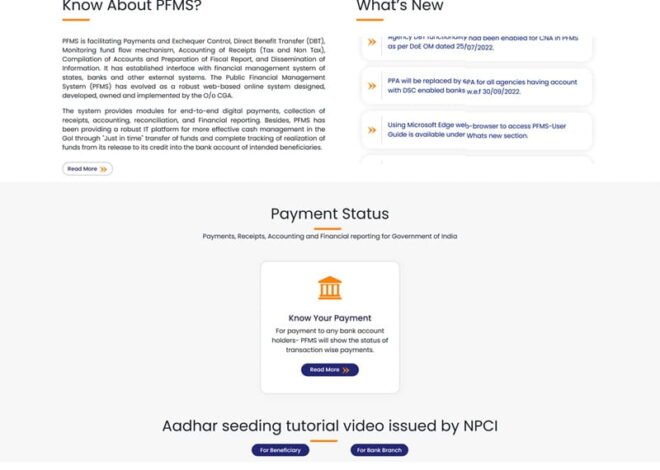
Go to the PFMS website and use the “Know Your Payment” option. Enter your bank or reference details to see status.
2. How long does it take to fix PFMS errors?
It depends on the issue. Simple fixes like data correction may take 2–3 days. Bank-related issues can take up to a week.
3. Can PFMS errors be fixed online?
Some errors can be fixed by updating details online. But issues like Aadhaar linking or KYC require visiting the bank.
4. What should I do if my payment is stuck for a long time?
First, check the error code. Then contact your bank. If needed, reach out to the scheme authority or PFMS helpdesk.
5. Is PFMS error a serious issue?
Not always. Most errors are minor and can be fixed easily. The key is to understand the reason and act accordingly.
Final Thoughts
PFMS error codes may look technical, but they are actually simple signals. Each one tells you exactly what went wrong.
Once you understand these codes, you don’t need to panic. In most cases, the solution is just a small correction—either in your bank details, Aadhaar linking, or account status.
Take it step by step, and your payment will be back on track.